
Recharge & Renewal
Recharge / Renewal
After signing in, click Wallet in the left menu. In the "Add funds" area, pick a preset amount or enter a custom amount (from 1 yuan), then choose a payment method to complete the top-up.
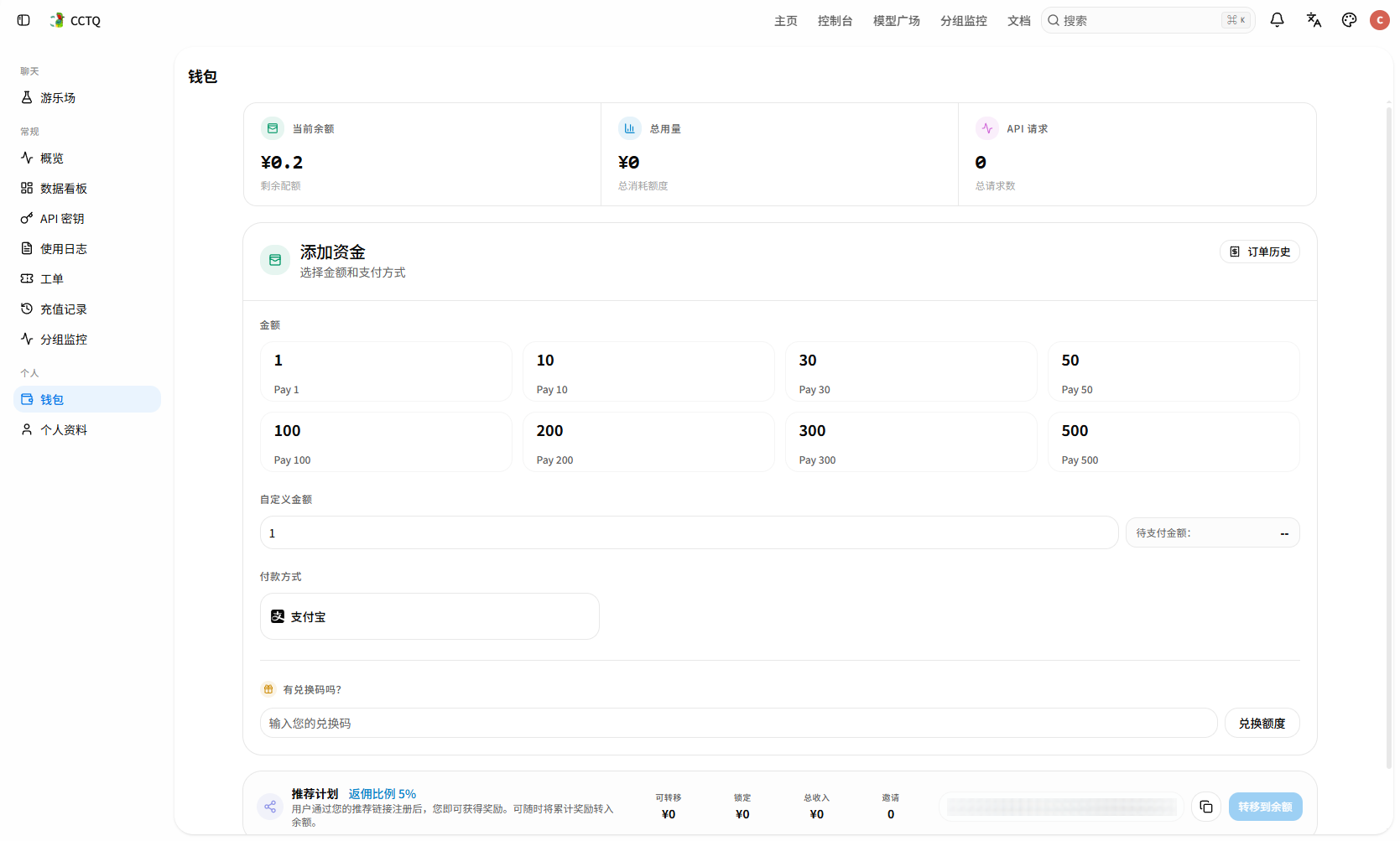
To avoid a failed top-up, wait for the on-screen "payment successful" message before closing the window.
If you have a redemption code, enter it under "Have a redemption code?" below and click "Redeem".
TIP
If a recharge does not arrive, contact the site admin to resolve it.
Refund
We offer no-questions-asked refunds at any time, with no processing fee.
Refund process:
- Go to Tickets → New Ticket
- Set the ticket type to Refund Ticket
- Fill in the requested information
Processing time: usually completed within 48 hours on business days.
Refund method: we prioritize refunding to the original order; only if that's not possible will we pay you via the payee information you provided in the ticket.
NOTE
- Make sure the payee account you provide is reachable so we can pay you back promptly.
- After a successful refund, the account is usually deactivated. If you only have a usage problem, we recommend asking in the after-sales group first rather than rushing to a refund.