
VPN / Proxy
Note
This is just a general example. There are many proxy tools; this page uses Clash Verge as an example, and the idea is the same for others.
Why you might need a proxy
The API itself has no regional restrictions. But different regions and ISPs in mainland China apply different network restrictions. Some users can connect directly, while others need a proxy — this is normal.
- If your connection is unstable, enable a proxy first.
- If you already use a proxy but it still doesn't work, follow the steps below.
Key: route the cctq domain through the proxy node
The core is to make sure the cctq domain connects through your proxy node. Using Clash Verge as an example:
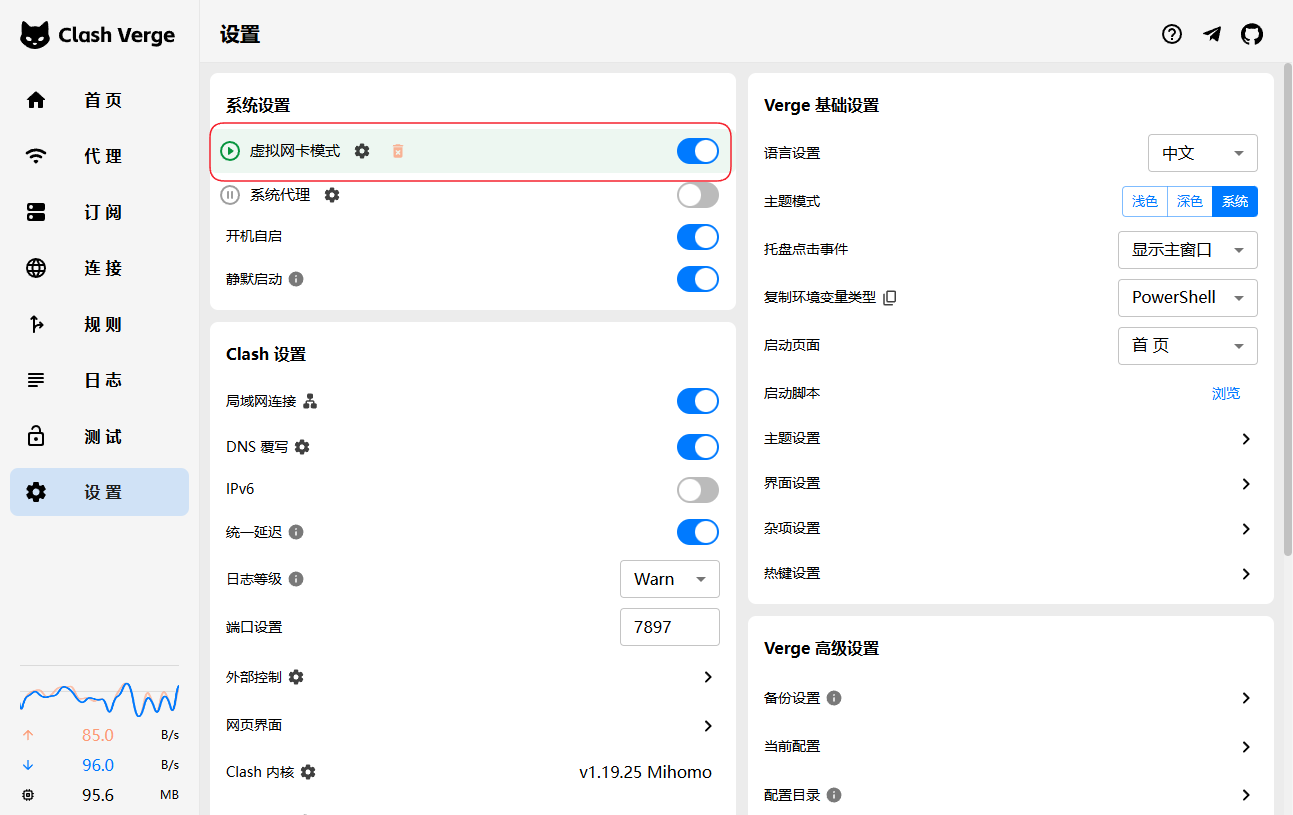
1. Turn off the system proxy and enable TUN mode
Under Settings → System Settings: turn off the system proxy and enable TUN mode (virtual NIC). TUN mode captures all traffic, including command-line tools (Claude Code / Codex).
TIP
Most users are good to go after this step. If it still doesn't work, read on.
2. Add a rule to route cctq through the proxy
On the Subscription page, right-click your subscription → Edit Rules.
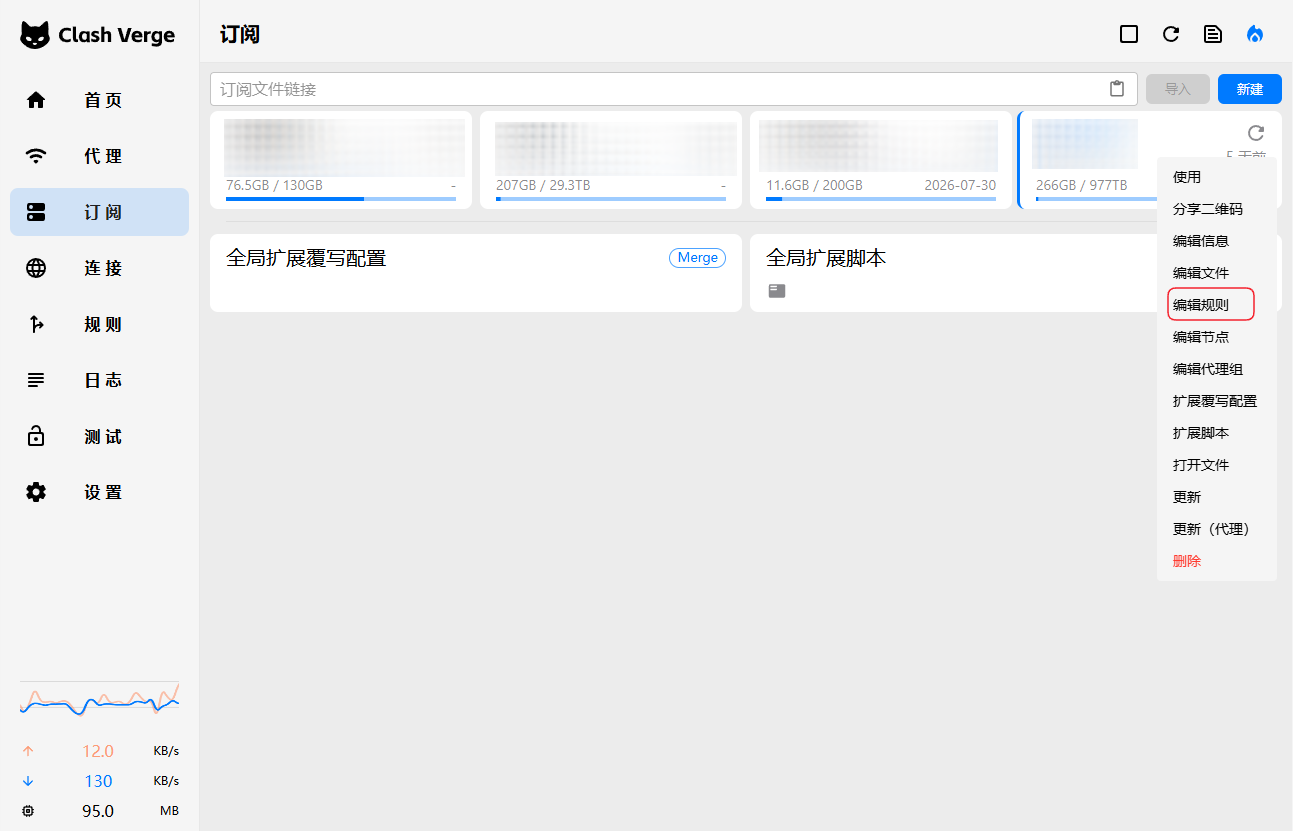
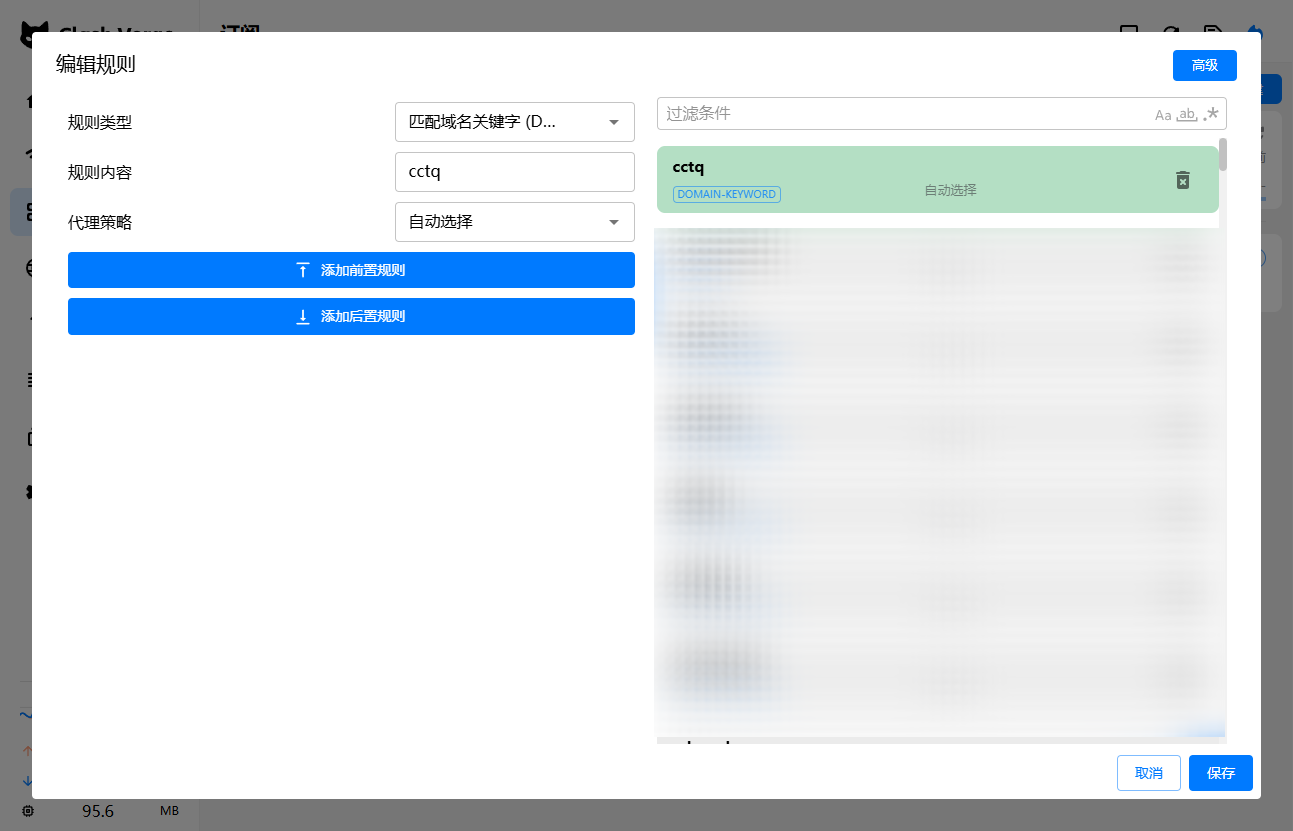
Add a rule and save:
- Rule type: DOMAIN-KEYWORD
- Rule content:
cctq - Proxy policy: Auto (or any working node)
Node tips
Watch node backhaul latency
Some nodes have a backhaul (origin-fetch) latency of 30s or even 60s, which can drop the connection before a reply finishes. If this happens, try switching to another node.
When in doubt, flip it
Try the opposite
- Proxy on? Turn it off. Off? Turn it on.
- On WiFi? Switch to mobile data. On mobile data? Switch to WiFi.
- Using the system proxy? Switch to TUN. On TUN? Switch back to the system proxy.