Create API Key
An API key (token) is the credential for calling the API. You need to create one before you can use it.
1. Open API Keys
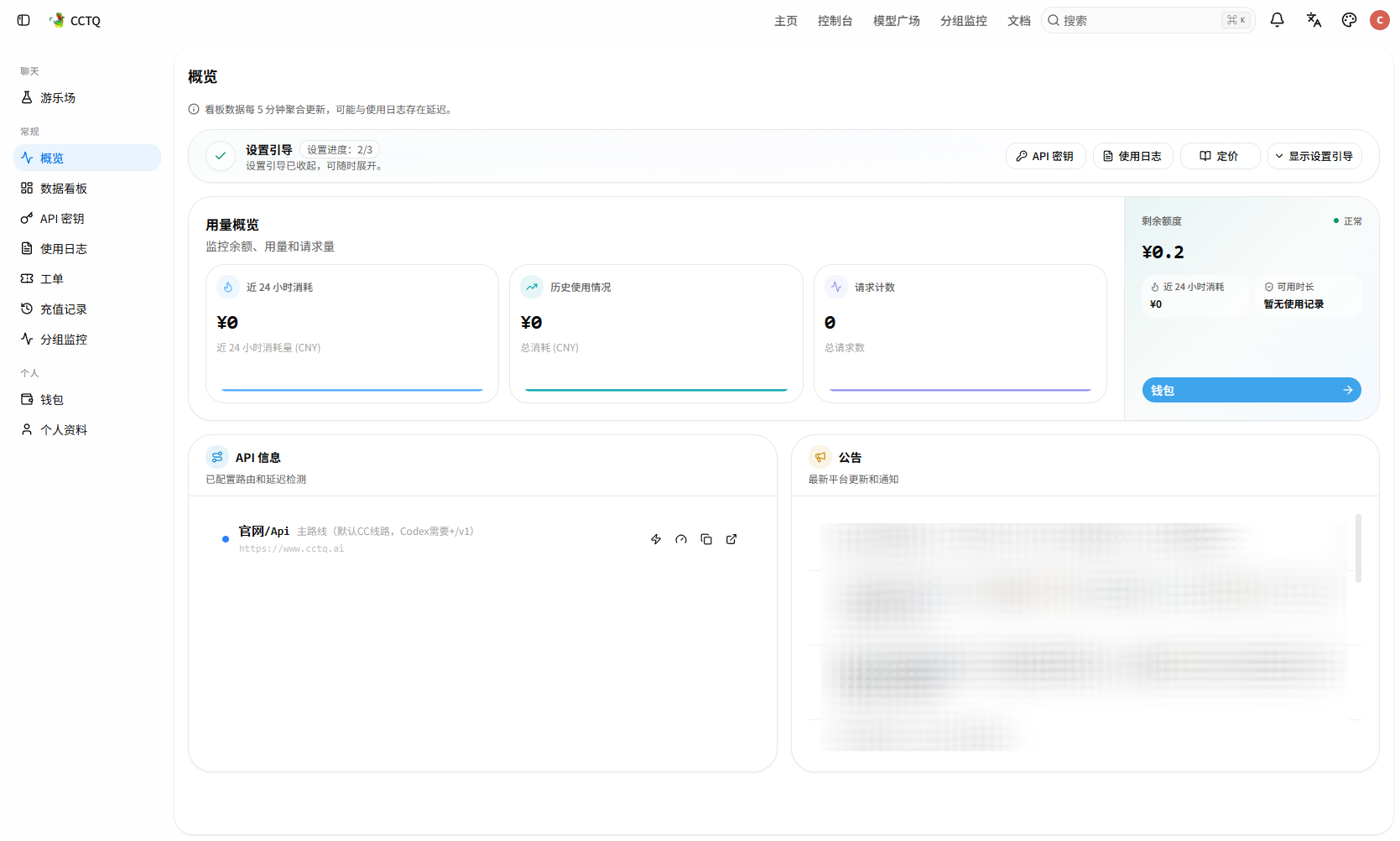
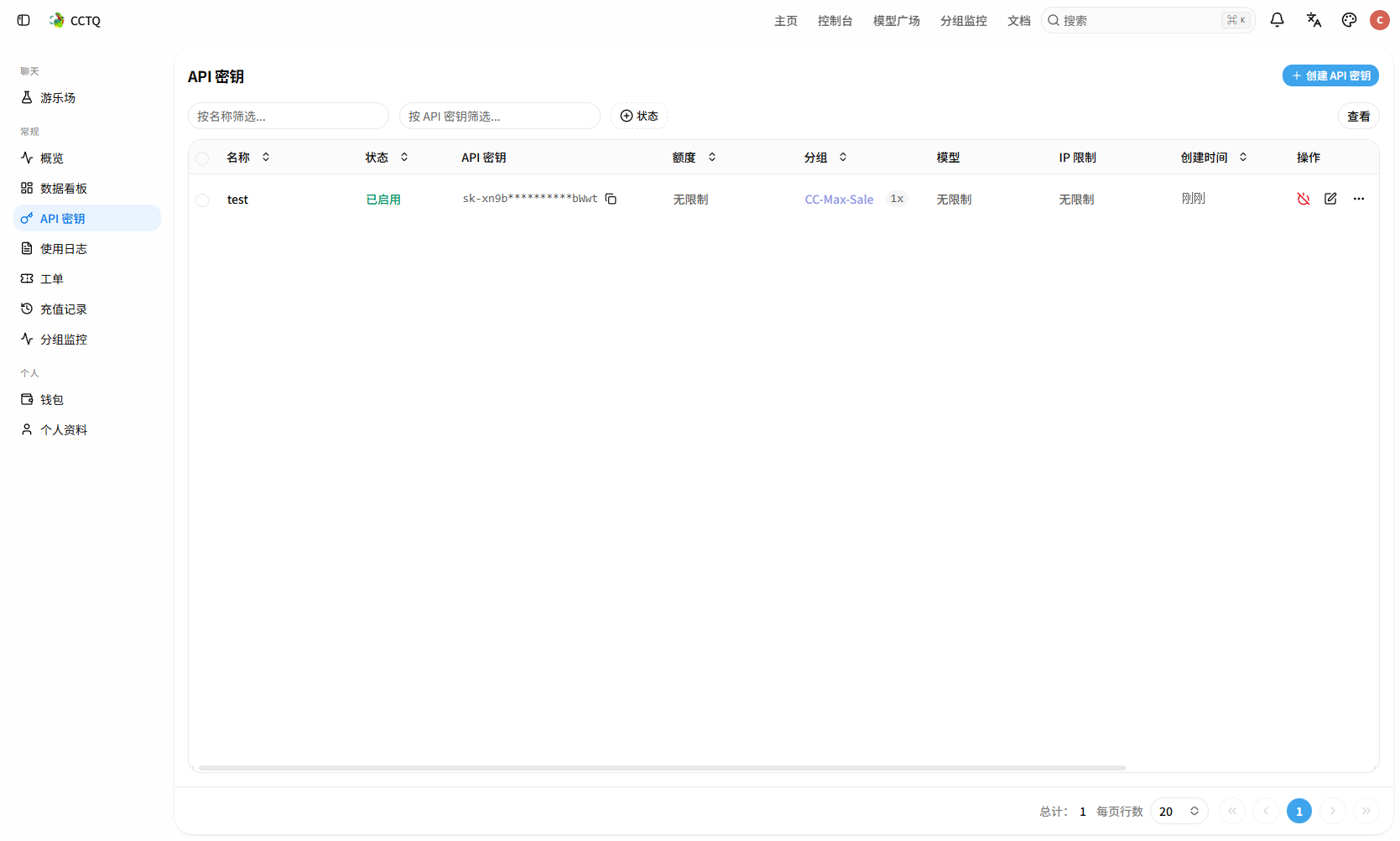
After signing in, click API Keys in the left menu, then click Create API Key in the top right.
2. Fill in the details and create
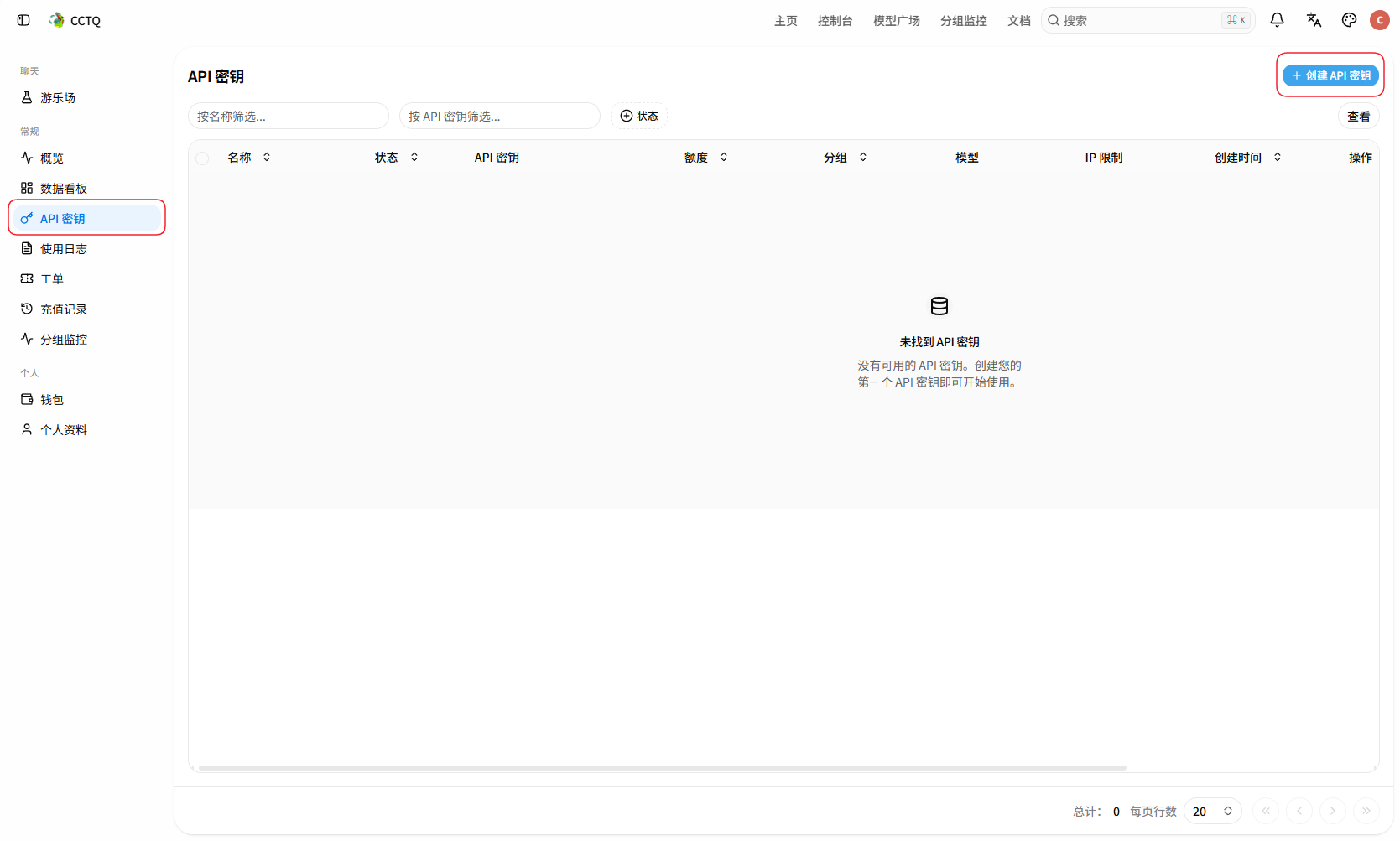
- Name: give it a recognizable name.
- Group: choose the matching group; the default is
auto(automatic routing).
The other options (cross-group retry, expiry, quantity, unlimited quota, advanced settings) can be left at their defaults. Finally click Save changes.
Choose the right group
About 90% of "unavailable" errors are caused by a wrong group selection. Make sure the group is correct before creating.
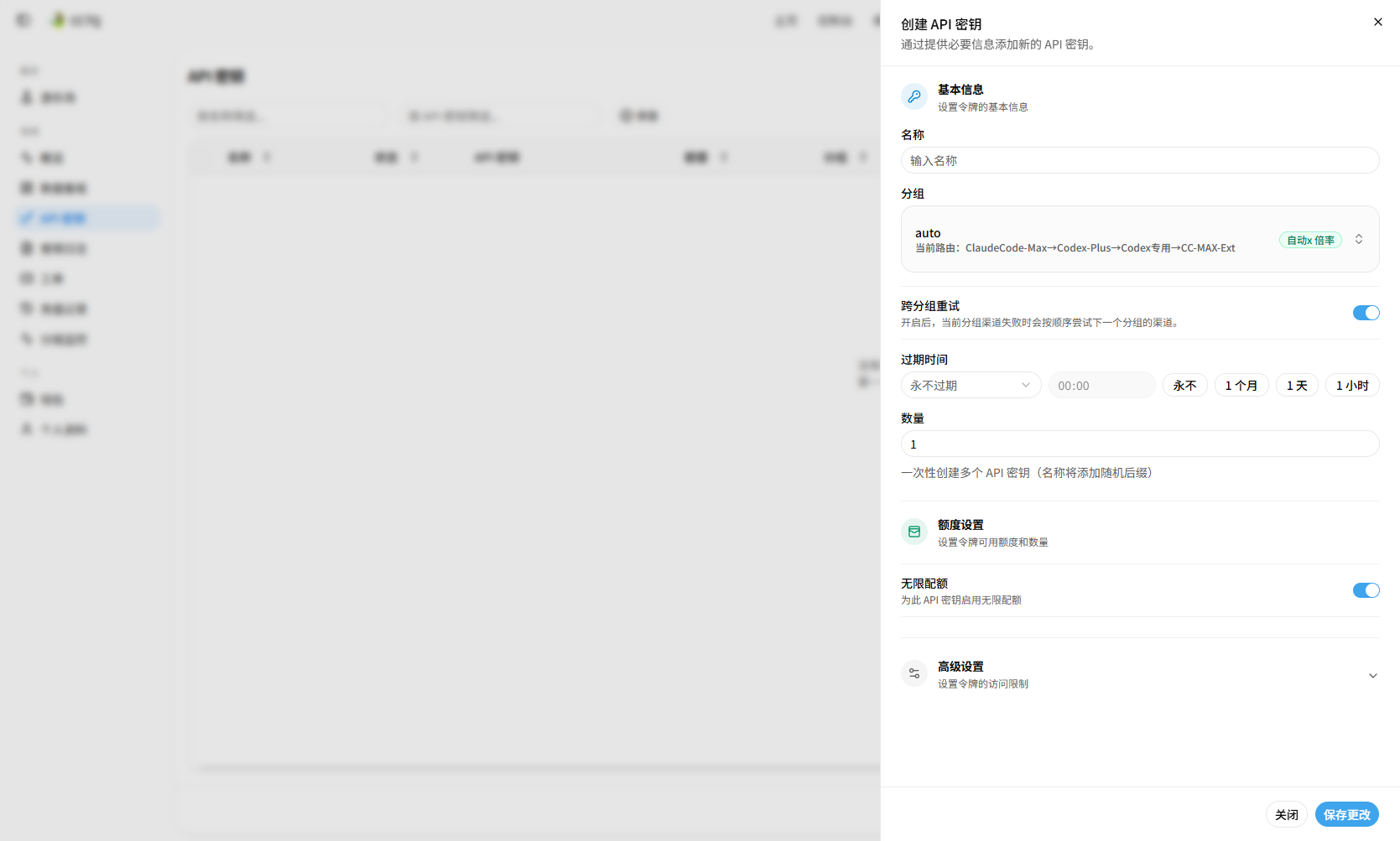
IP outside the service area
If the group dropdown only shows a placeholder group such as "This group is shown only because your IP is outside the service area", your current IP is not in the service region — enable a VPN / proxy, refresh the page and try again.
About regional access
The API itself has no regional restrictions. But some regions in mainland China may face network blocking and disconnect — if that happens, use a proxy as described in VPN / Proxy.
3. Copy the key
Once created, the key appears in the list. Click the copy button in the API Key column to copy it for later configuration.
4. API URL
Besides the key, configuring a client also requires the API URL (request URL). Find the latest URL in the API Info section of the Overview page.
- The default is the CC route (main route):
https://www.cctq.ai. - Claude Code: copy and use the URL directly.
- Codex: append
/v1to the URL after copying.